Custom software for your business

You may need a mobile app that connects customers with field teams, a platform that assigns incoming jobs using live location data, or a tool that reads documents and sends exceptions to a person for review. Tell us who uses the system, what they need to do and which tools it should connect to.

For Yael Consulting, we built an internal CRM and helped the agency move its operations into it. The team could handle more clients without adding staff.

How a project runs

  1. 1BriefWe collect what you want to build and exactly how you want it to work.
  2. 2ScopeWe analyse it and go through a round of discussion with you: what we build, the scope of work, the working format, the timeline and the remaining details.
  3. 3ContractWe sign the contract and you make the advance payment.
  4. 4DevelopmentWe build with a demo every week, direct contact with you and open communication.
  5. 5Launch and afterAfter launch we can run the product and its servers for you end to end, or hand control over to your team.

What we share, and what we ask of you

You can always see the work

  • An hourly report of the work done and the tasks closed, whenever you ask.
  • The designs, as they are made.
  • The documentation, as it is written.

We need you in the process

We expect you to take an active part in development: answer questions, watch the demos, make decisions. That is what makes a project succeed. Without the client in the process, a quality result is very hard to reach.

Beyond delivery: we can take ownership of the product

Building to a specification is one option. We can also take ownership of the project and keep developing it as a product: planning what comes next, shipping releases and answering for the result.

  1. 1BuildWe design and ship the first version.
  2. 2OwnWe take responsibility for the roadmap and releases.
  3. 3GrowWe keep developing the product with you.

P3X · Mobile development

From total balance to a single account.

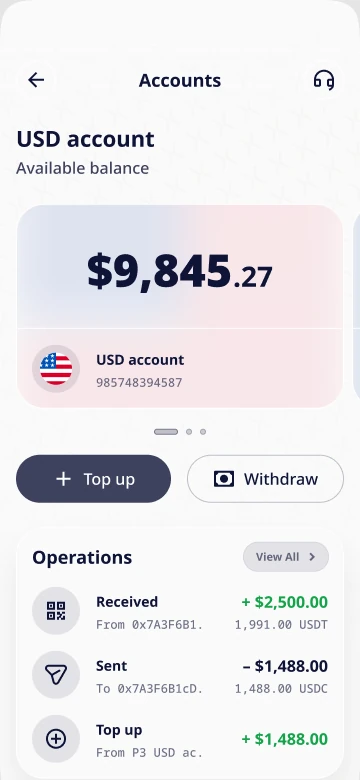
P3X is a mobile crypto wallet built on our own wallet: a white-label solution we adapted to the client’s needs. Its dashboard brings balances, accounts, assets and recent activity into one view, and opening an account shows its balance and transactions together.

Screens from the P3X design with demonstration data.
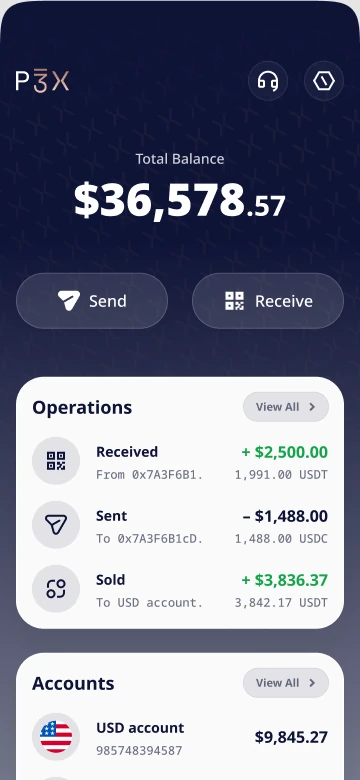
P3X dashboard screen with the total balance, recent operations, accounts and assetsP3X USD account screen with the available balance and operations

What makes P3X different

One tap to create, one tap to restoreA wallet is created in one tap and restored the same way.
No blockchain knowledge neededSending crypto takes no knowledge of networks or technical fees. We packed all of that inside and left only the point: sending. Send USDC and you pay the fee in USDC.
Non-custodialFor all this simplicity, the wallet stays non-custodial.
On-ramp and off-ramp with personal supportMoving between crypto and regular money comes with a personal support contact.
A rethought send and receive flowWe redesigned how sending and receiving work, step by step.
Transaction details that are easy to shareFrom the details screen you can share a link to the transaction, its ID and more.
SalaryNow · Mobile development

Earned pay, available before payday.

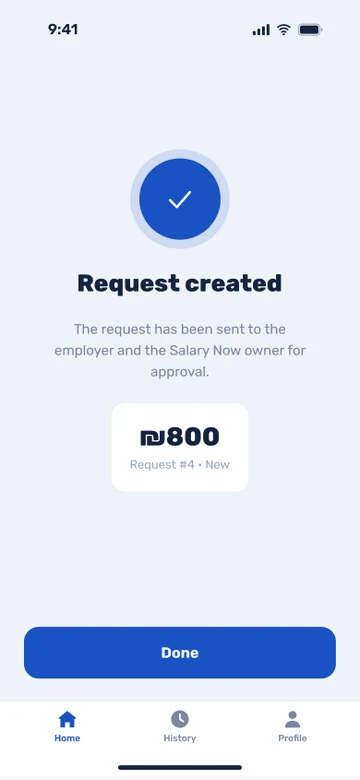
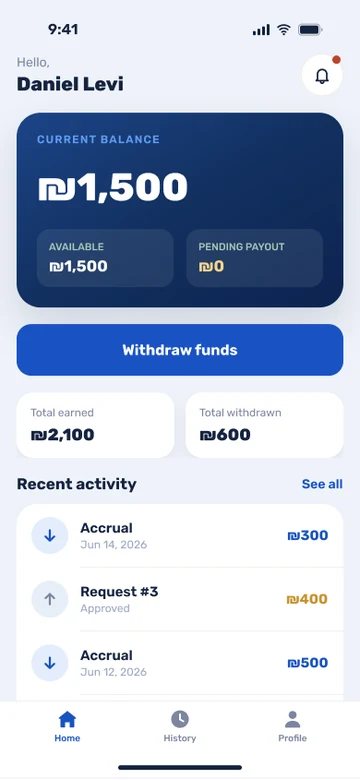
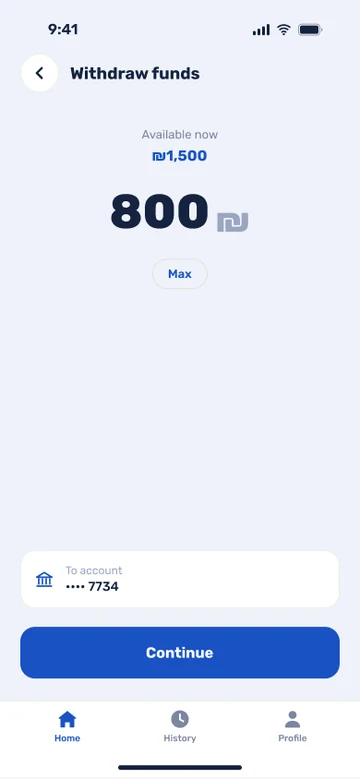
SalaryNow is a salary factoring app for the Israeli market. A worker sees the pay they have already earned, requests a withdrawal, and follows the request as the employer and the SalaryNow owner approve it.

Screens from the SalaryNow design with demonstration data.

SalaryNow home screen with the current balance, available amount and recent activitySalaryNow withdrawal screen with the amount and the destination accountSalaryNow confirmation screen: request created and sent for approval

FairSpoon · AI development

A food diary that starts with a photo

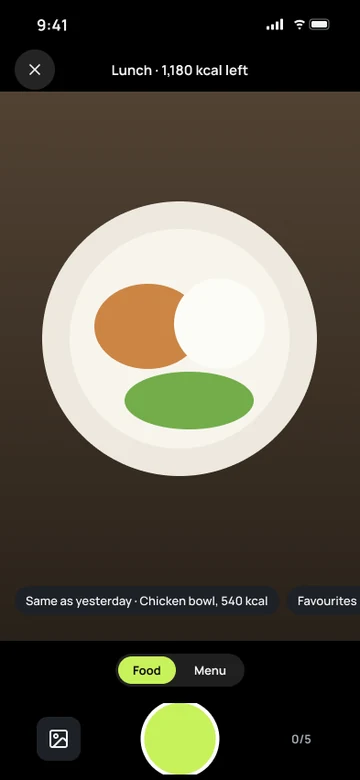
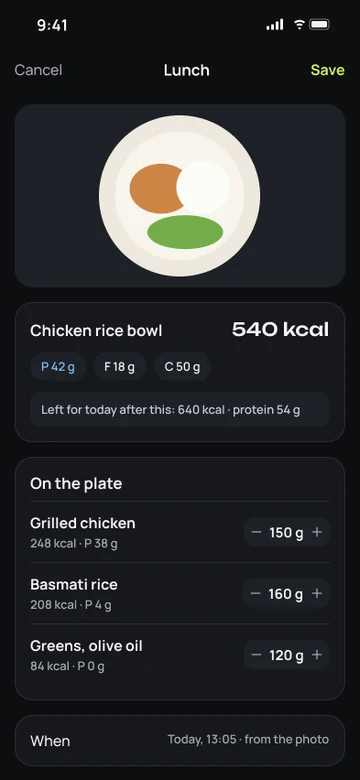
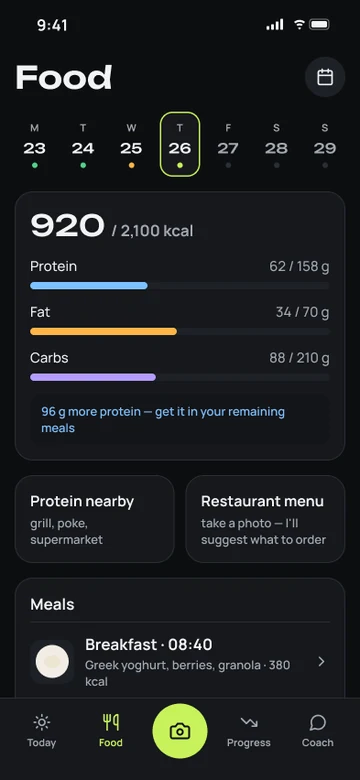
Logging a meal usually means entering each dish and portion by hand. We built an iPhone app that turns a meal photo into a draft food diary entry. AI identifies the dishes and estimates portions. The person who took the photo can correct a dish or change the portion before saving.

Which step in your workflow still requires manual entry?

Screens from the FairSpoon design; the meal photo is a placeholder.

FairSpoon camera screen with a plate of foodFairSpoon draft entry with the dishes, portions and caloriesFairSpoon food diary with calories, macros and meals

What are you building?

A sentence or two is enough to start the conversation.

Prefer email? Write to us.

Discuss your project